01Across products
Design drift
Small choices in spacing, states, and component use compound when several teams ship one connected service.
One system. Different experiences.
Product experience / AI tooling
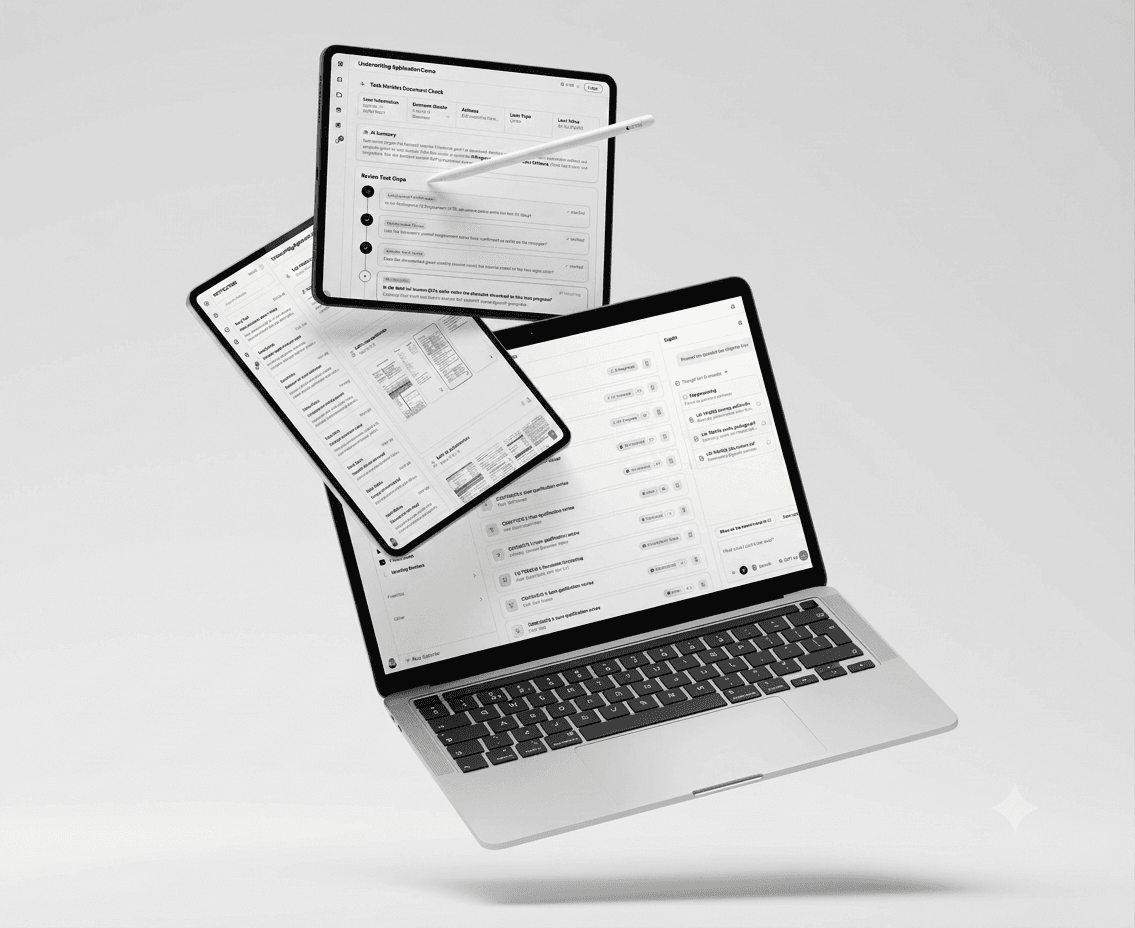
A design-system check that finds UI drift in code, explains the issue, and turns review into a clear next step.
One command reviews a screen or component. Findings become a local report and a dashboard that product, design, and engineering can inspect together.
Product experience and AI strategy lead. I shaped the audit workflow, design-system rules, report experience, and implementation direction.
A focused /ui-test command compares implementation with shared shadcn patterns and writes a local report.
Repeatable, code-aware UI review with an estimated 40% productivity gain for review and harmonisation work.
Several product teams were building parts of one service. Even with shared design language, local decisions accumulated into a fragmented experience.
Small choices in spacing, states, and component use compound when several teams ship one connected service.
One system. Different experiences.
Finding the same UI issues by hand consumes senior design and engineering time late in delivery.
More review. Less momentum.
A screenshot can show what feels wrong, but teams still need the affected code, rule, and next action.
More interpretation. Less clarity.
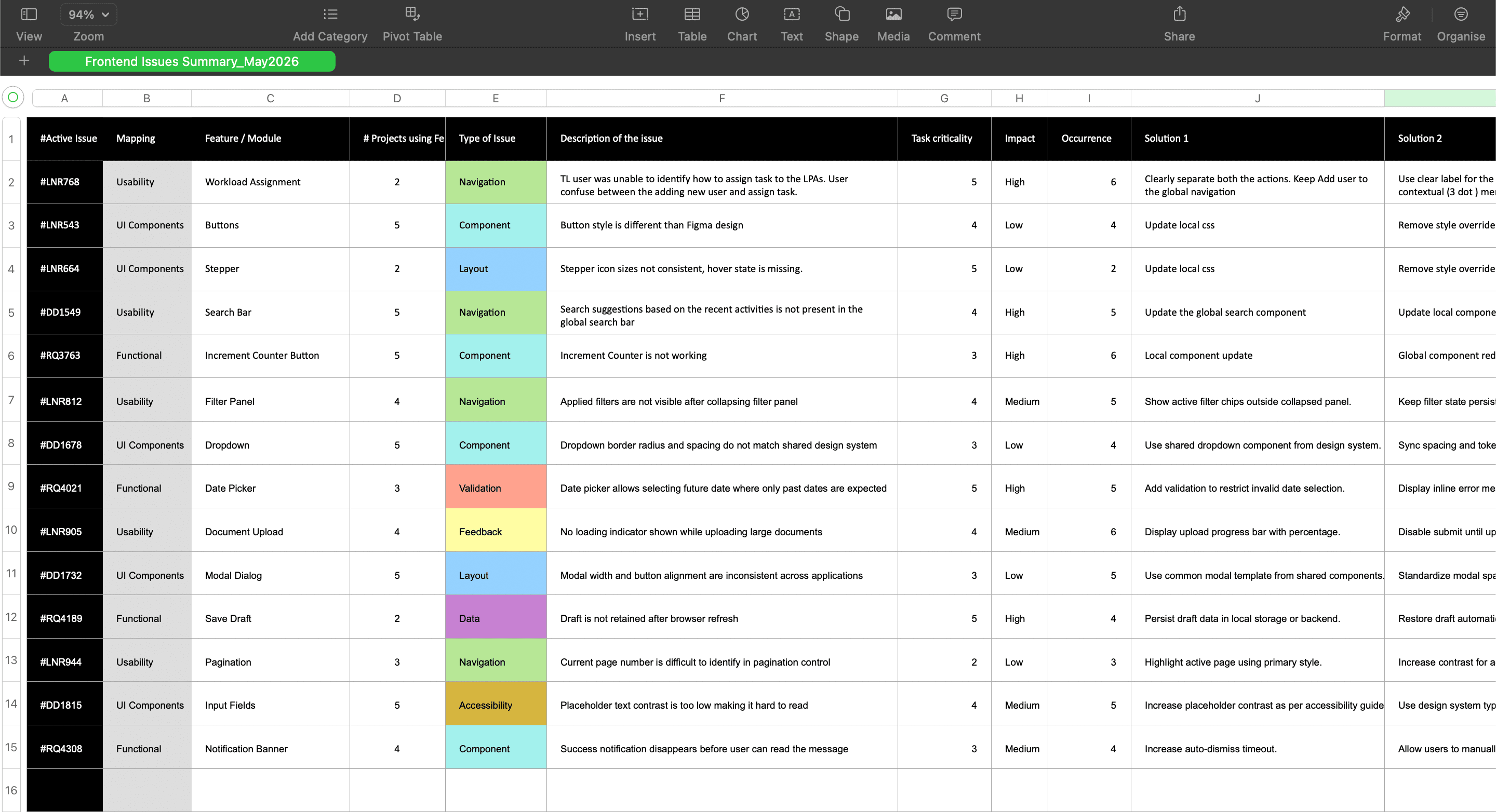
From isolated issues to a shared view of what needs attention.
Give teams a fast way to inspect the interface, understand the rule behind a finding, and move directly to a fix.
Run /ui-test on a page or a single component. The audit stays close to the work in progress.
One command. The right scope.
Review component composition, tokens, spacing, typography, and accessibility against shared shadcn guidance.
Every finding has context.
Open a local report and dashboard with severity, source context, and a concrete path to a fix.
Clear priority. Clear next step.
One source report feeds the dashboard, so the review stays traceable without extra infrastructure.
See how findings are presented for review and handoff.
AI can make quality signals easier to see. Shared judgment turns those signals into a better product.
A finding is useful when it names the system pattern behind the issue and points to the exact place to improve it.
The agent makes repeated checks easier; designers and engineers still decide what is right for the experience.
Small audits during delivery give teams a practical way to protect consistency across products.
The audit command, report format, and dashboard implementation are part of the same design story.
Audit route / Dashboard / Source report
import { AuditDashboard } from "@/components/audit-dashboard"
import { getAuditReport } from "@/lib/audit-report"

export const dynamic = "force-dynamic"

export default async function UiTestingAgentPreviewPage() {
  const report = await getAuditReport({ preferFindings: true })

  return <AuditDashboard report={report} preview />
}